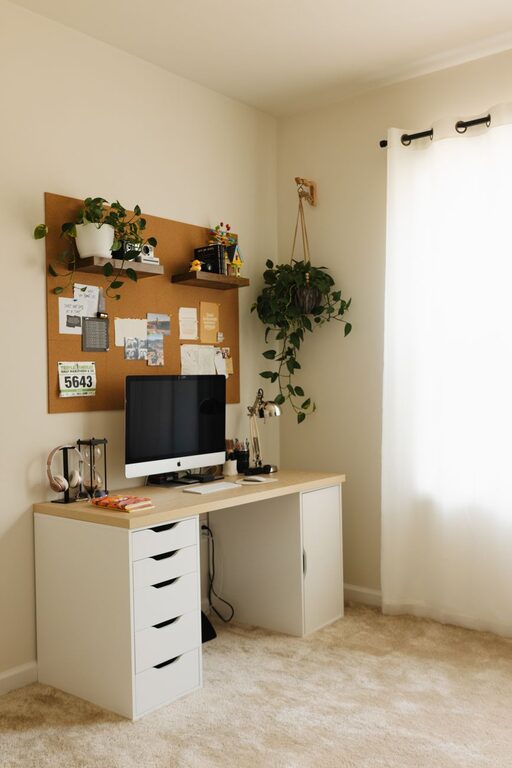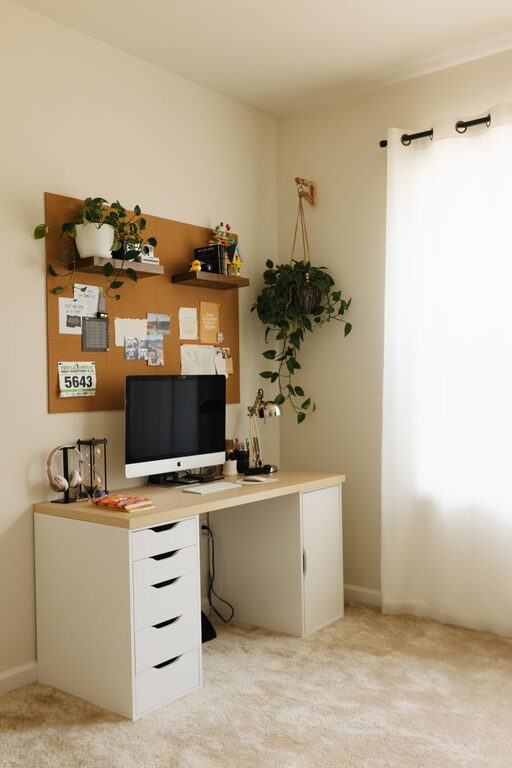



Creating a comfortable and clutter-free home workspace is essential for staying productive and maintaining focus. Whether you have a dedicated room or just a corner of your living space for work, thoughtful organization can make a big difference. Here are some practical tips to help you design a tidy, functional workspace that inspires efficiency and minimizes distractions.
Why Organize Your Home Workspace?
A cluttered workspace can contribute to stress and make it difficult to concentrate. On the other hand, an organized environment helps you find what you need quickly and encourages a more productive mindset. When everything has a place and surfaces are clear, it’s easier to focus on your tasks without interruptions.
Step 1: Choose the Right Location
Find a Space with Good Lighting
Natural light is ideal because it reduces eye strain and creates a pleasant atmosphere. If natural light isn’t an option, invest in quality desk lamps with soft, adjustable lighting.
Opt for a Quiet Spot
Select a quiet area free from distractions like high traffic or noise. This will help you stay focused and reduce interruptions during work sessions.
Step 2: Declutter Your Desk
Clear Surface Area
Start by removing everything from your desk. Keep only essential items on top, such as your computer, notebook, and a pen holder.
Sort and Store Away Non-Essentials
Place other materials like paperwork, chargers, and gadgets inside drawers, cabinets, or storage boxes. Use organizers or trays to keep these items neat.
Regularly Clean Your Workspace
Develop a habit of tidying your desk daily or weekly. This prevents clutter from building up and keeps your space inviting.
Step 3: Organize with Storage Solutions
Use Drawer Organizers
Small compartments keep office supplies like paper clips, sticky notes, and pens organized and easy to find.
Invest in Shelving or Cabinets
Additional vertical storage can free up desk space. Use shelves for books, binders, or decorative items that don’t get in the way.
Label Storage Containers
Labels help you quickly identify contents and maintain order over time.
Step 4: Manage Cables and Electronics
Use Cable Clips or Sleeves
Prevent tangled cords by securing them with cable clips or sleeves. This keeps your workspace looking neat and reduces the risk of tripping.
Limit the Number of Devices
Keep only necessary devices on your desk to avoid clutter. For instance, if possible, use a single monitor instead of multiple screens.
Charge Devices Away from Your Desk
Consider setting up a designated charging station separate from your main work area to avoid cords piling up.
Step 5: Personalize Mindfully
Add Plants or Artwork
A touch of greenery or inspiring artwork can brighten your workspace and improve your mood. Choose small, low-maintenance plants when space is limited.
Keep Personal Items Minimal
Limit personal decorations to a few meaningful objects to avoid overcrowding your desk.
Step 6: Establish a Workflow System
Use a Planner or Digital Tools
Track tasks with a planner or productivity app to stay on top of deadlines and appointments.
Sort Incoming Paperwork Immediately
Designate a spot for incoming documents and deal with them regularly to avoid piles building up.
Set Up “In” and “Out” Trays
These help keep papers and files organized, making it easier to manage your daily workload.
Step 7: Maintain Your Organized Space
Schedule Weekly Reviews
Take time once a week to tidy your workspace and reorganize as needed.
Adapt as Needed
Your needs may change over time, so feel free to modify your organization methods to fit your evolving workflow.
Practice Good Habits
Put items back in their place after use, and strive to keep surfaces clear at the end of each day.
—
By implementing these tips, you can transform your home workspace into a clutter-free, productive environment that supports your best work. Remember, a well-organized space is not only about looks but about creating a system that helps you work efficiently and comfortably every day.